With WP Community Core plugin
“Structure your ministry your way — with WP Community Core.”
The Membership Plugin
Your community, organized. Your ministry, empowered.
Groups create a dedicated space where people can come together to share information, exchange insights, offer testimony, and strengthen one another. It’s a place built for collective growth — not individual spotlight.
The WP Community Core plugin is designed with a flexible, ministry‑ready structure that adapts to any organizational model. Whether you’re a church, auxiliary, Bible study, nonprofit, or community group, this WordPress plugin empowers you to shape your digital community in the way that best serves your mission.
⚡ Add‑On Extensions for WordPress
Unlocking Unlimited Possibilities for Your Ministry Website
WordPress becomes truly powerful when you extend it with add‑on extensions — also known as plugins. These are modular tools that instantly add new features, automate tasks, and expand what your website can do without needing a developer. Plugins are one of the core reasons WordPress powers such a large portion of the internet.
For ministries, churches, and organizations, this means your website can grow as your vision grows.
🚀 Why It Matters
The Group Profile Page turns scattered information into a centralized, organized, ministry‑ready hub. Leaders stay empowered. Members stay informed. The church stays connected.
This is digital ministry done right — structured, transparent, and built for growth.
Group Dashboard
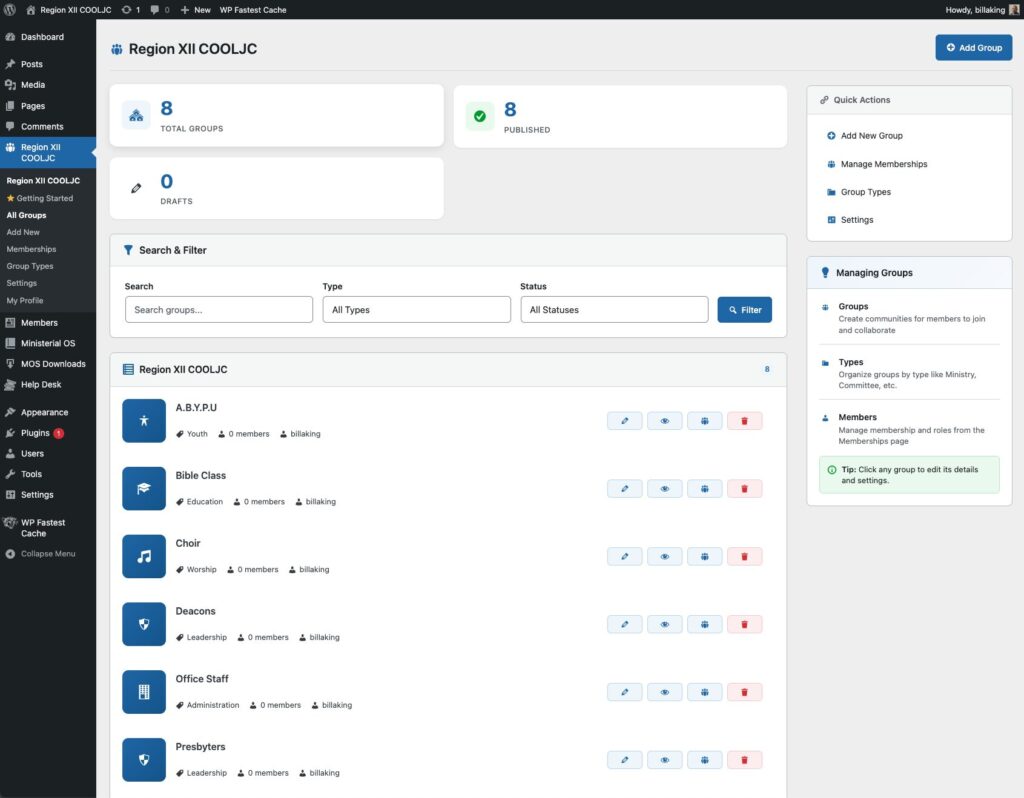
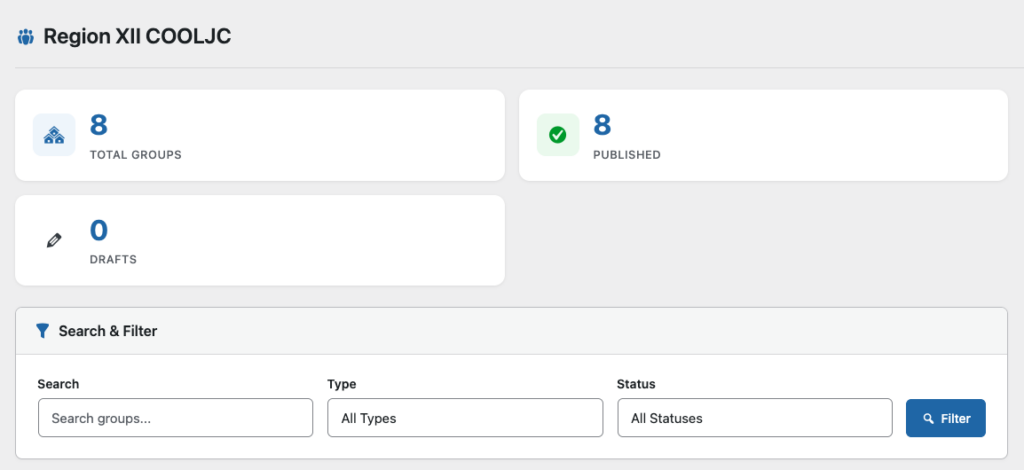
The group dashboard shows you immediately how many groups exists in your non-profilt organization, auxiliary or however you use it.
- Total Groups: The number of groups you have
- Published: These are active groups
- Drafts: These are inactive group
Search & Filter becomes handy when the list gets long. You can filter by Group Type, if they are published or in a draft state.
Group profiles
Where Every Ministry Finds Its Digital Home
The Group Profile Page is the heart of the WP Community Core plugin — the place where every ministry, department, auxiliary, and team shapes its identity, organizes its people, and manages its mission. Designed for churches of every size, this page makes it effortless to build structure, maintain order, and empower leaders with clarity.
🔧 Simple. Powerful. Ministry‑Ready.
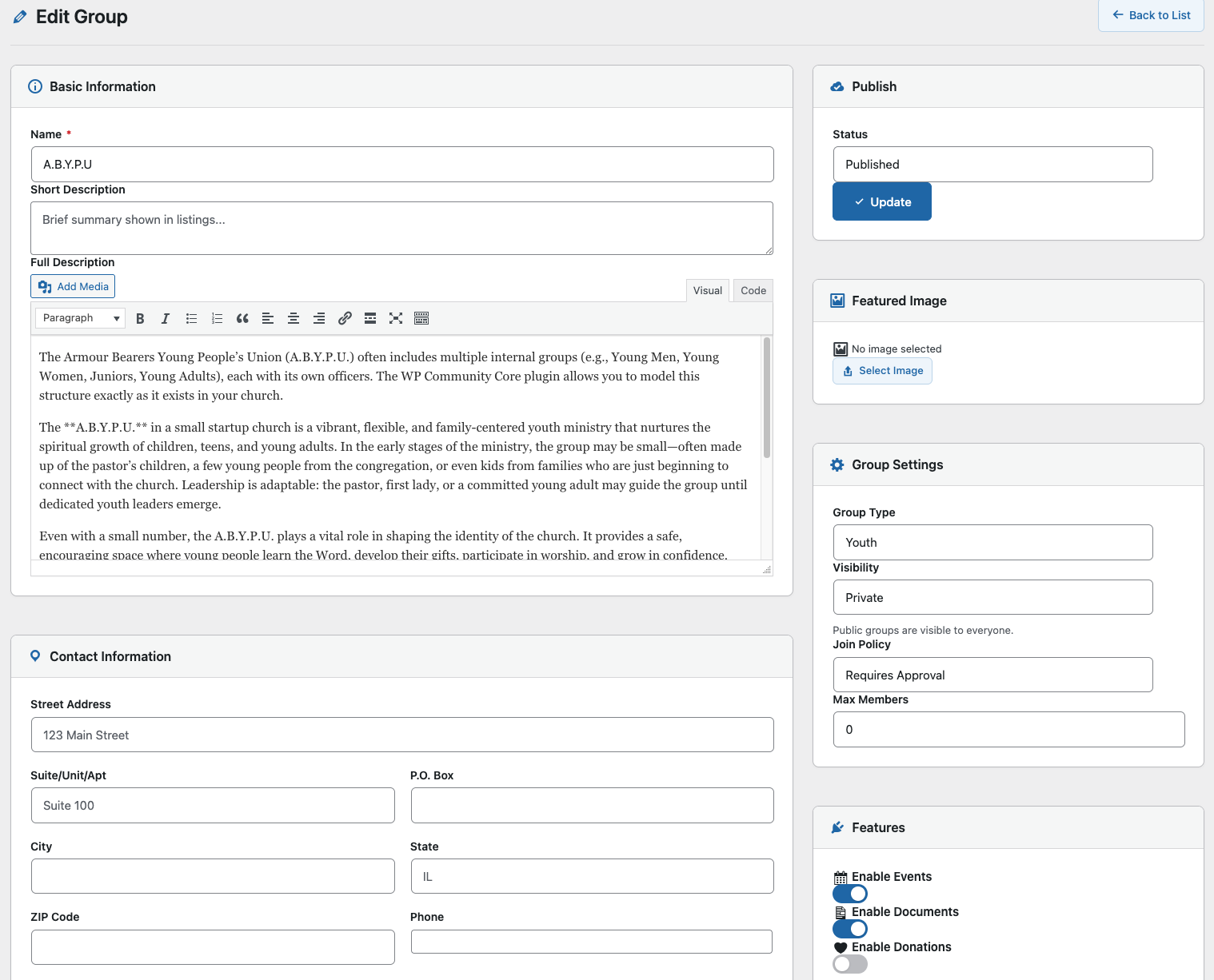
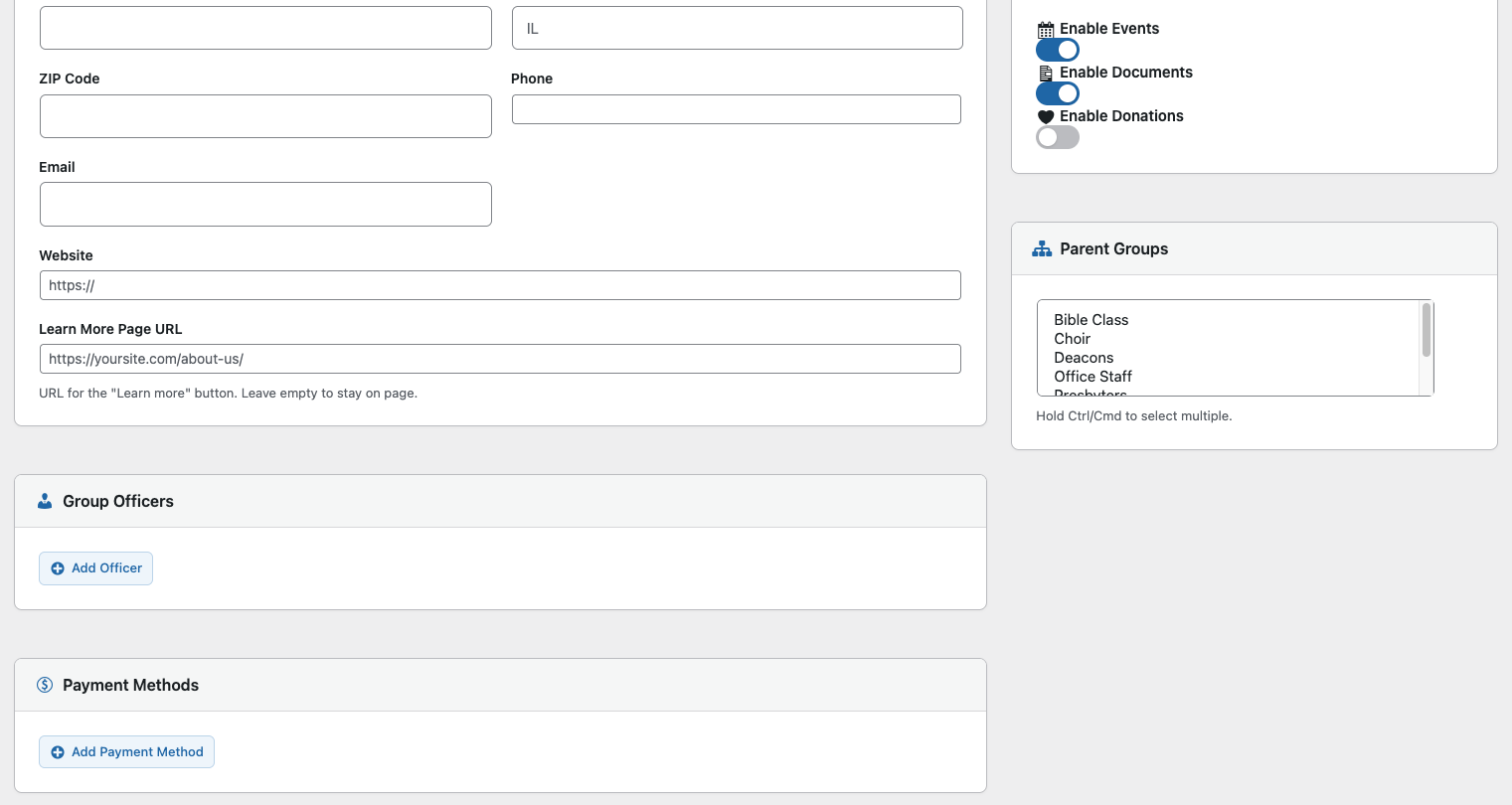
The Edit Group screen gives leaders a clean, intuitive workspace to define who they are and how they operate. No technical skills required — just fill in the essentials, and the plugin handles the rest.
On this page, leaders can:
- Set the Group Name & Description
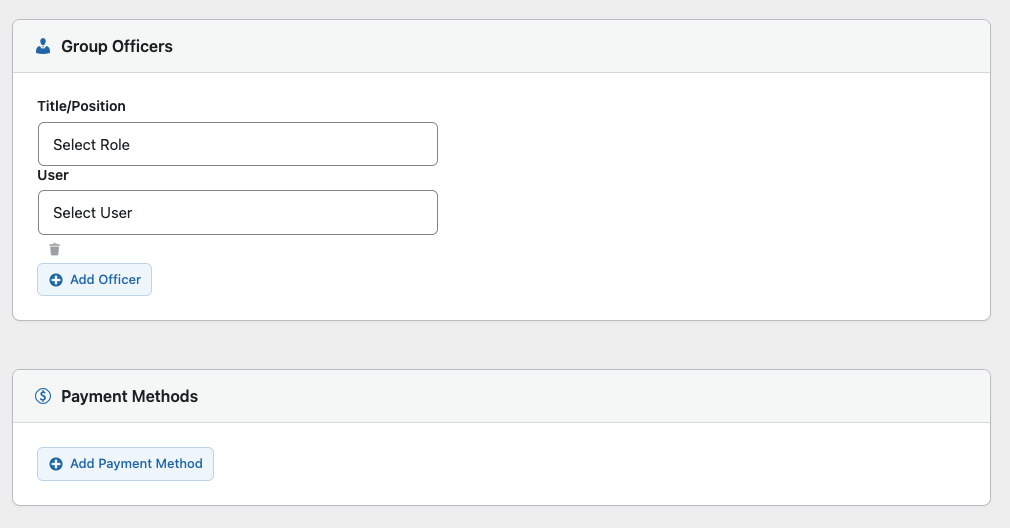
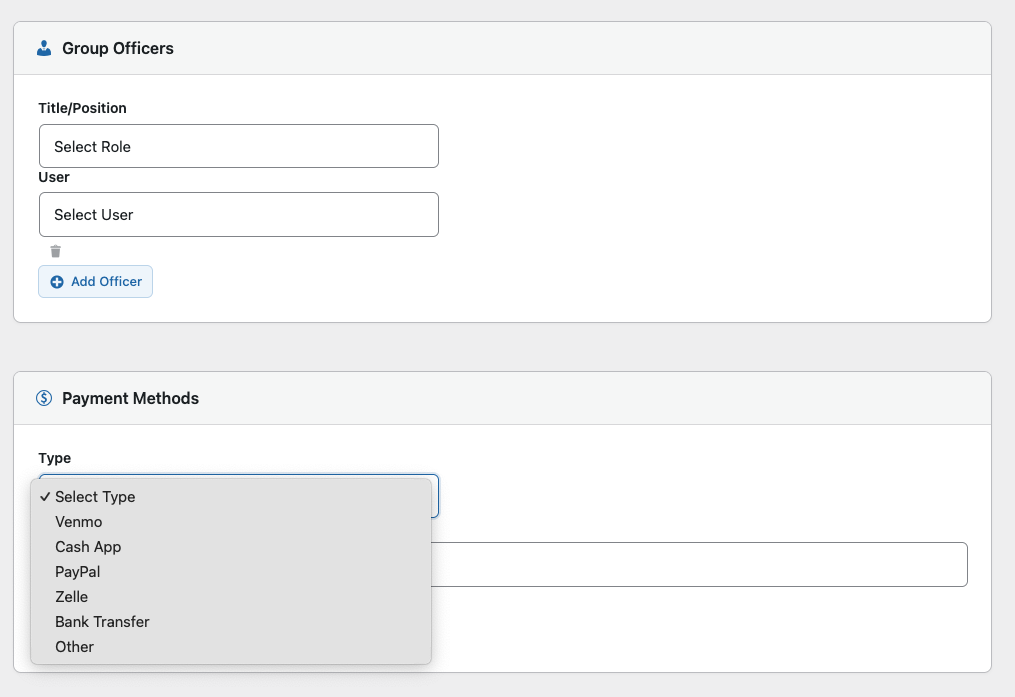
Give your ministry a clear identity and purpose. Whether it’s ABYPU, the Usher Board, Media Team, or a local auxiliary, every group gets its own digital profile. - Assign Officers & Roles
Add presidents, vice presidents, secretaries, treasurers, chaplains, and more. Each role is structured, consistent, and aligned with church governance. - Manage Membership
Add members, update their status, and keep your roster clean and accurate. - Define Sub‑Groups
Perfect for ministries with internal teams (e.g., ABYPU → Young Men, Young Women, Junior ABYPU). Every sub‑group inherits structure while keeping its own officers. - Upload Photos & Branding
Give your group a face. Add banners, logos, or images that reflect your ministry’s personality. - Set Meeting Times & Key Details
Keep everyone aligned with schedules, locations, and important notes.
⭐ Group Types
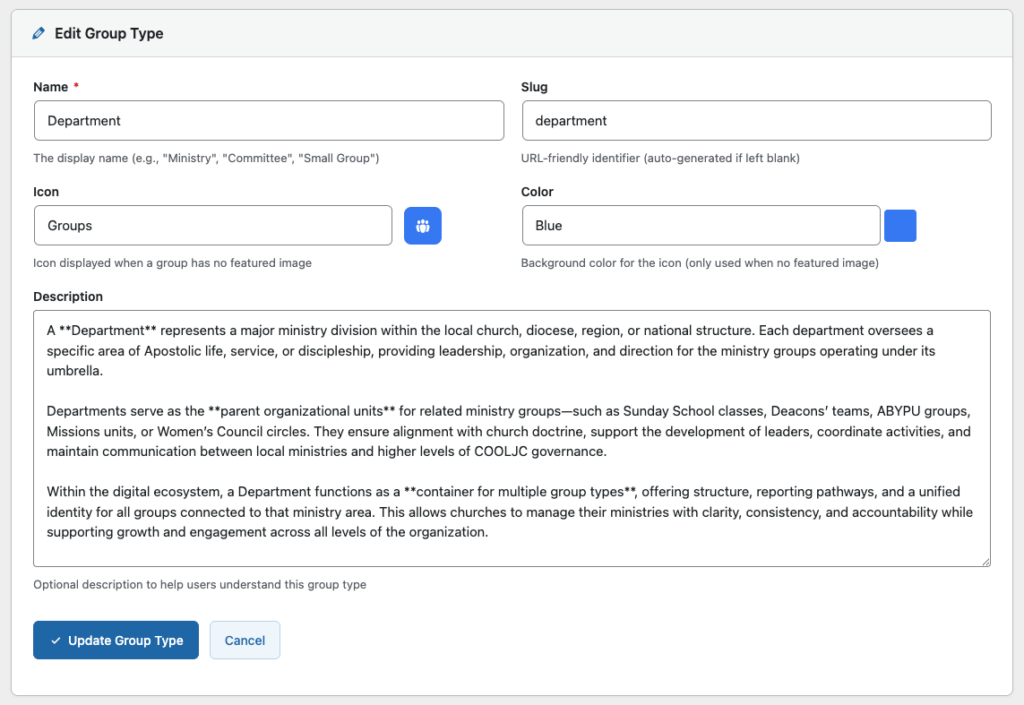
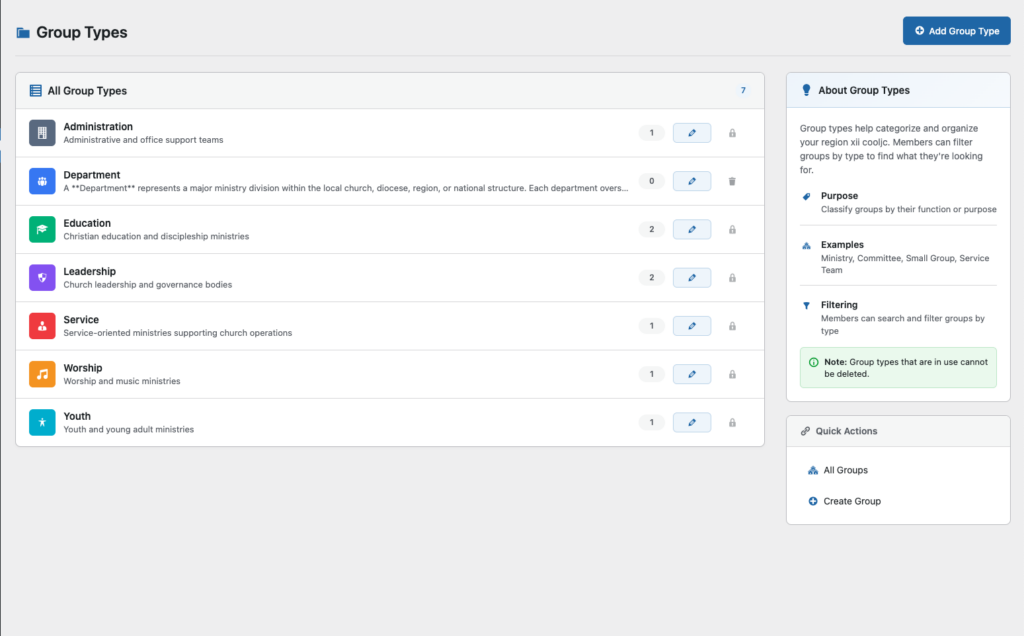
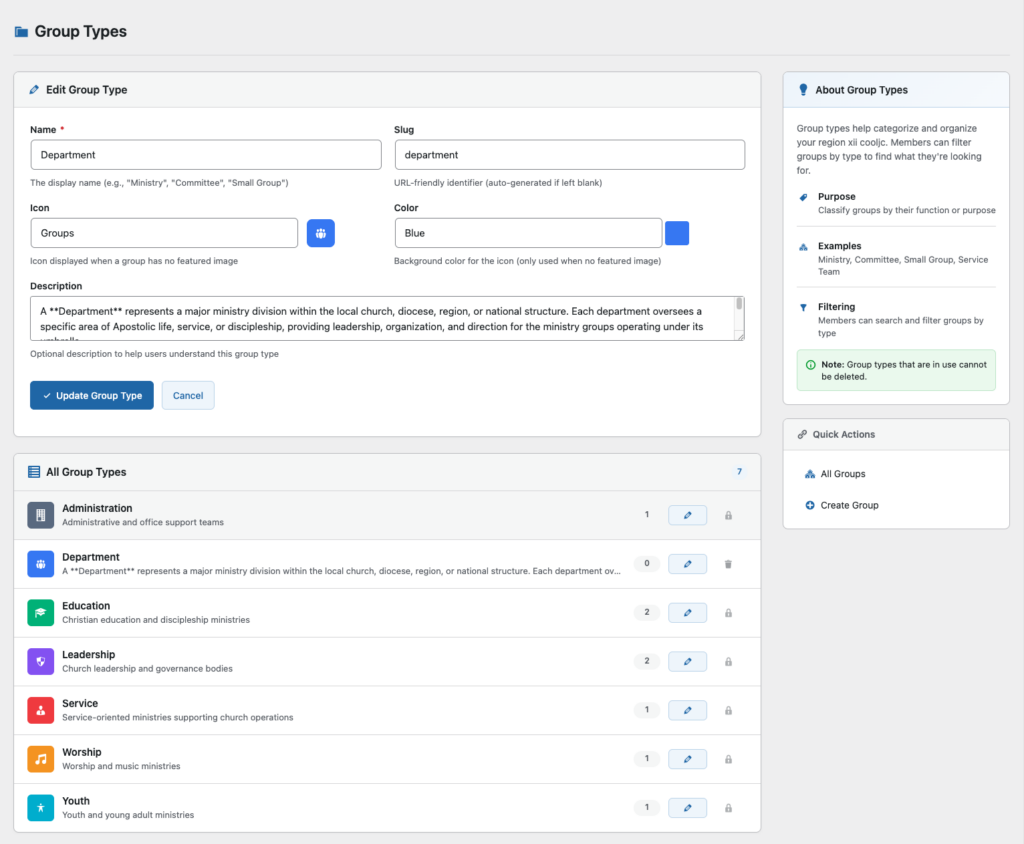
Group Types bring clarity to your ministry structure. Members can instantly filter and discover the groups that fit their needs, interests, and spiritual journey.
Group Description
Share the heart of this group. Describe its mission, its purpose, and how it helps people grow, connect, or serve.